The selected Approver is notified by email that a Revision is pending Internal approval
The Approver can access the validation page in two ways:
Using the hyperlink in the notification email
Through the “My Documents” page (see My documents)
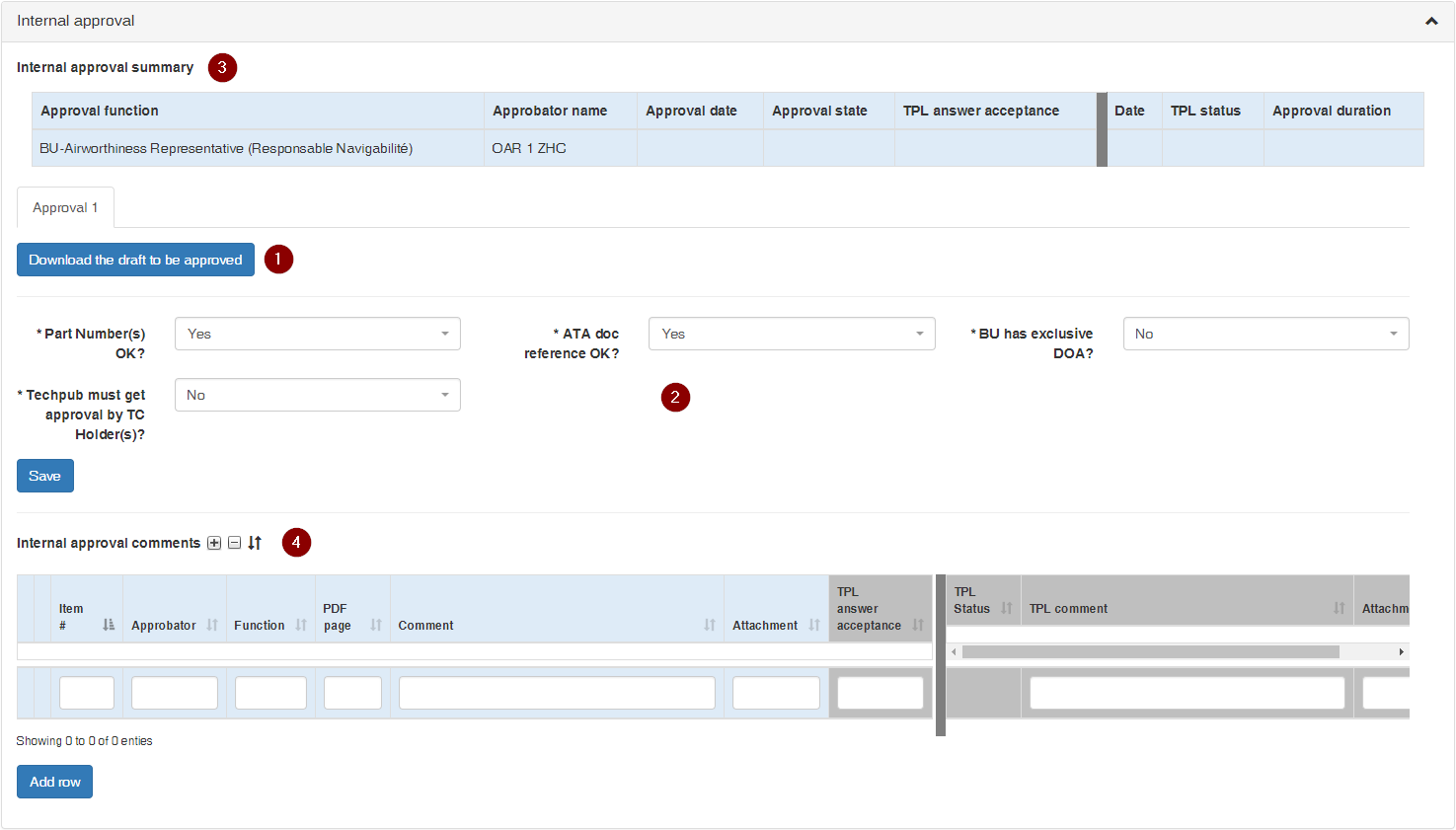
The Internal approval interface comprises:
a download link for retrieving the Draft to be approved ()
a set of key parameters related to the Revision and the airworthiness of the corresponding equipment ()
an Internal Approval Summary box that lists the current approval status ()
and an Internal Approval Review Comments list, where the Approver can submit comments as necessary ()
The Approver must first review and validate the key parameters related to airworthiness:
the validity of the top-assembly Part Numbers (Yes / No)
the validity of the ATA reference (Yes / No)
the applicability of BU exclusive DOA (Yes / No)
the applicability of approval by one or more TC Holders (Yes / No)
the list of TC Holders if the response to the above question is Yes (selection list)
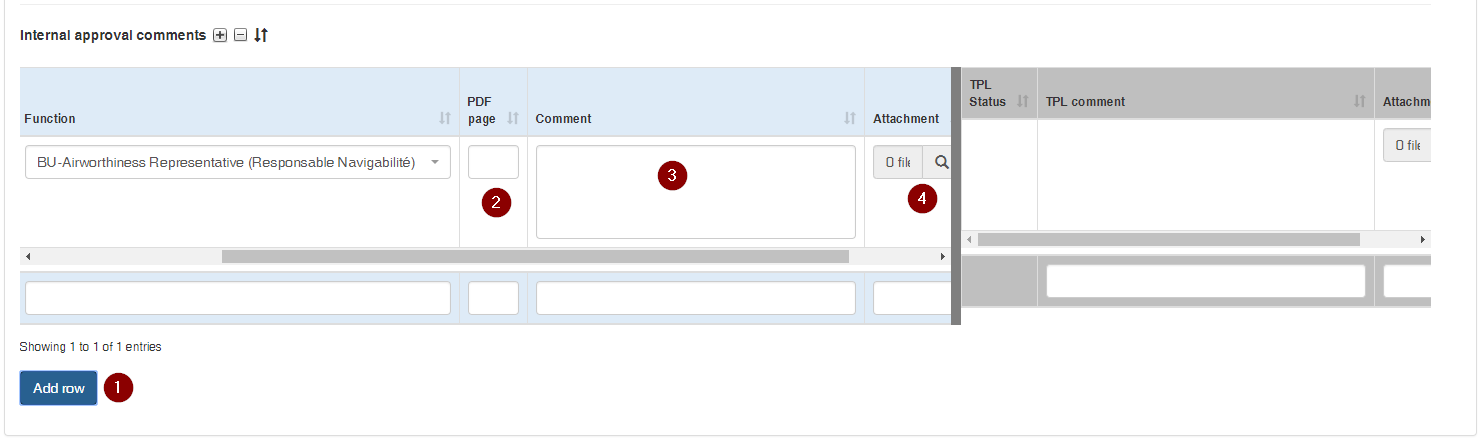
To submit comments the Approver must:
add a new row with the button ()
fill out the PDF Page box ()
fill out the Comment box ()
(if needed) upload an Attachment ()
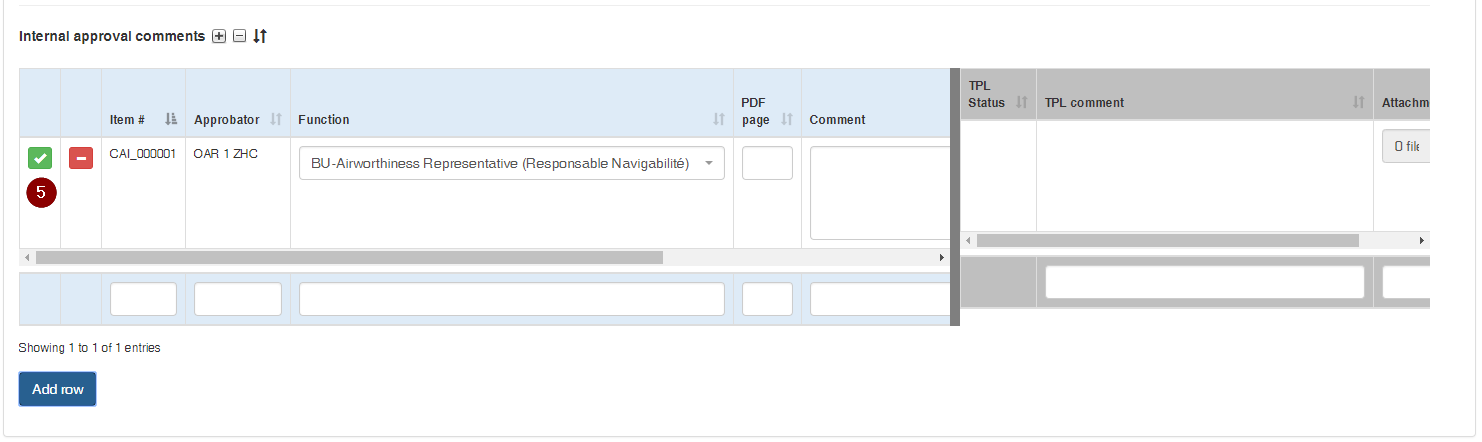
click the submittal button ()
repeat the above steps for each additional comment
Comments must be itemized by the Approver whenever possible, so as to allow efficient and traceable itemized clarification and adjudication with the Techpubs Project Leader until full convergence
To complete the validation review the Approver clicks on one of the workflow buttons at the top right of the screen:
(): the Reviewer accepts the draft with no comments
(): the Reviewer is submitting comments and requires to review the revised draft
 )
) )
) )
) )
)
 )
)
 ): the Reviewer accepts the draft with no comments
 ): the Reviewer is submitting comments and requires to review the revised draft