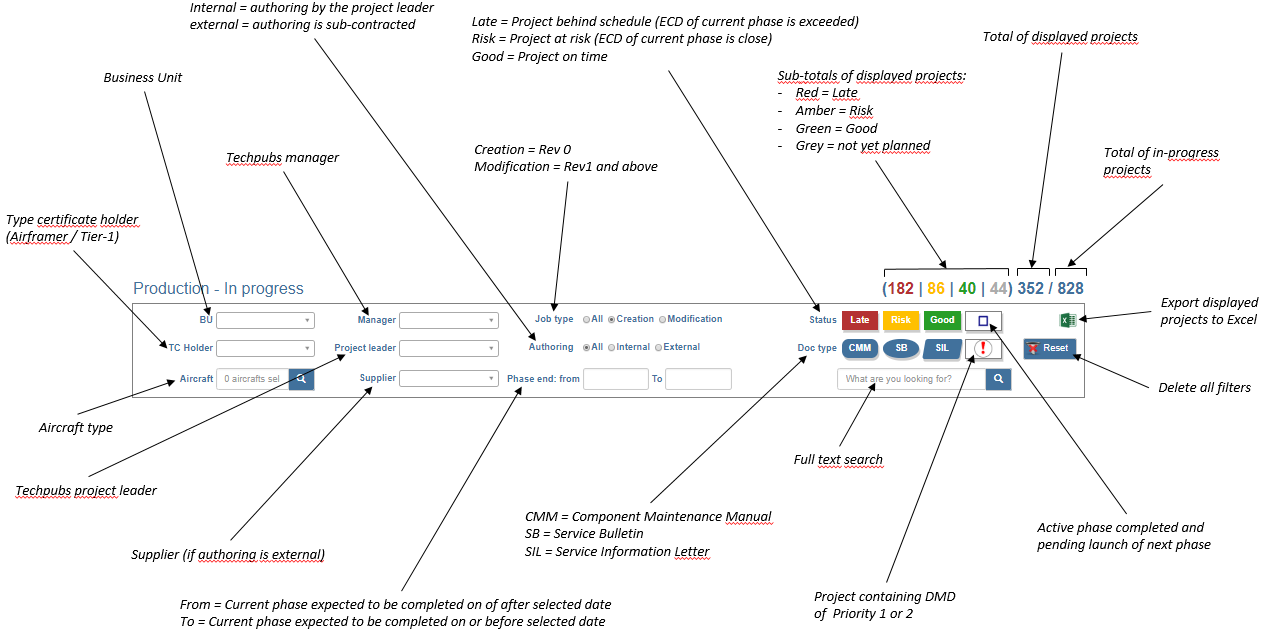
Various filters can be used and combined to define the projects to be displayed and various overall counters allow to assess the number of projects in the selected production board:
Standard functions are available in the top right corner of each vertical box:
Counters allow to assess the number of projects inside the box (same principle as the overall counters presented with the filters)
Buttons () and () to switch the display modes of the box: Minimized / Normal / Maximized
Button () to export in Excel the data related to the objects displayed inside the box
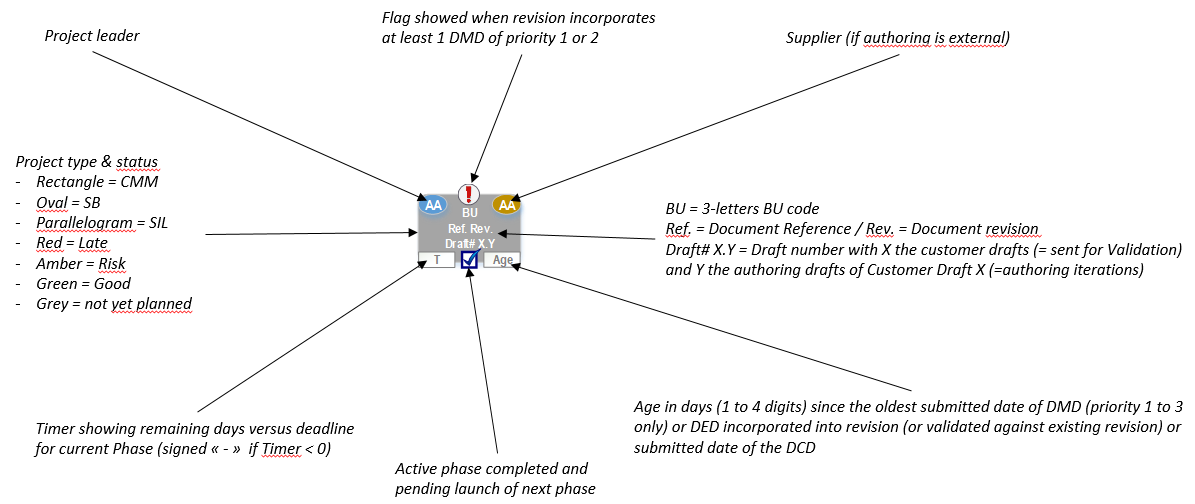
The objects representing each document revision project contain multiple information about the project itself:
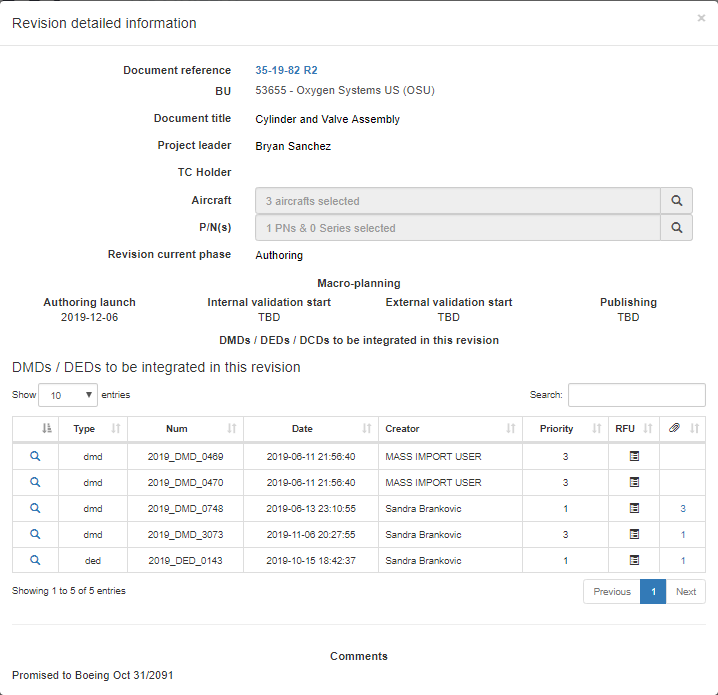
Additionally each object can be double-clicked to obtain further project data in a dedicated pop-up that contains 4 sections:
 ) and (
 ) to switch the display modes of the box: Minimized / Normal / Maximized
 ) to export in Excel the data related to the objects displayed inside the box