All the selected Reviewers are notified by email that they are required to perform an Internal validation
The Reviewers can access the validation page in two ways:
Using the hyperlink in the notification email
Through their “My Documents” page (see My documents)
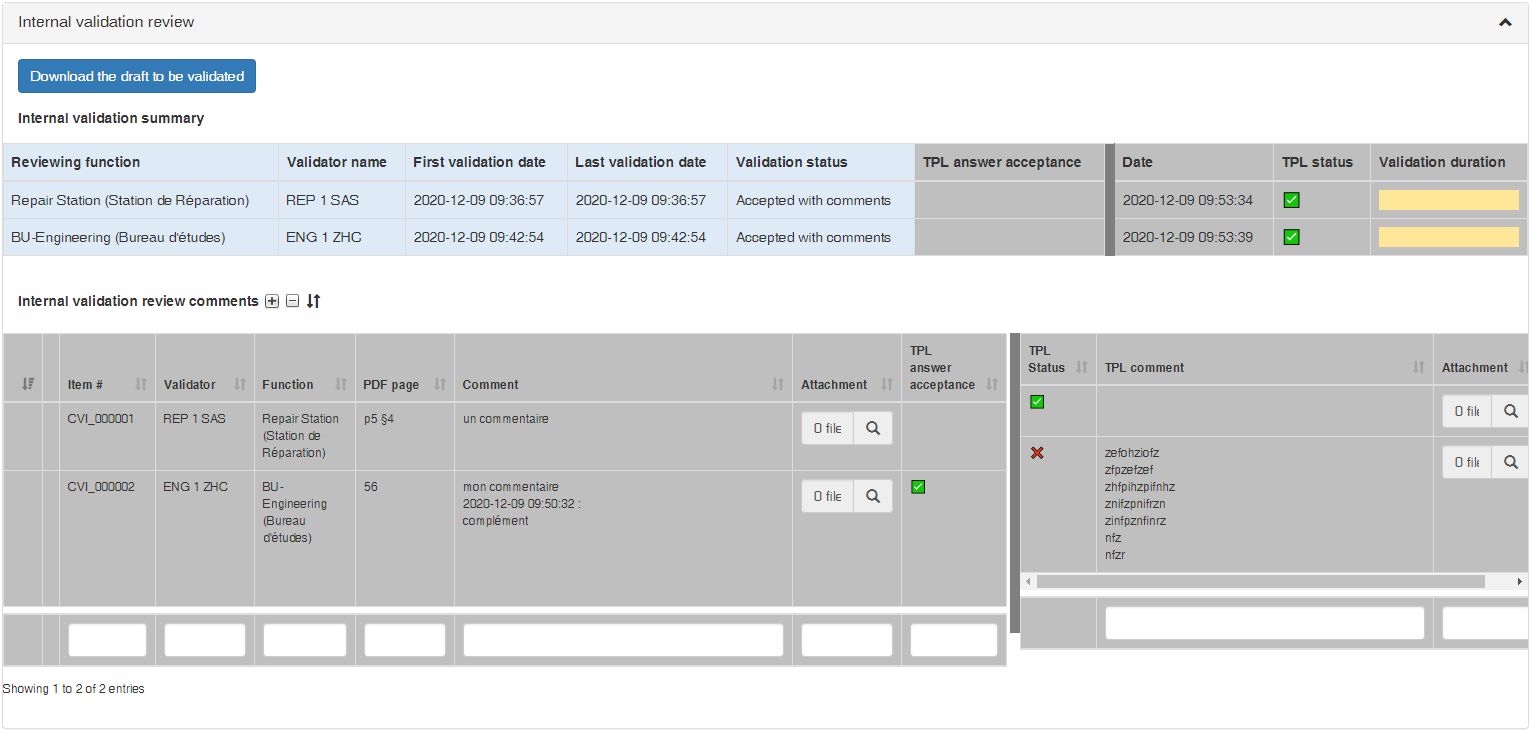
The Internal validation interface comprises:
a download link for retrieving the Draft to be validated
an Internal Validation Summary box that lists all the involved Reviewers with their current validation status
and an Internal Validation Review Comments list, where each Reviewer can submit comments as necessary
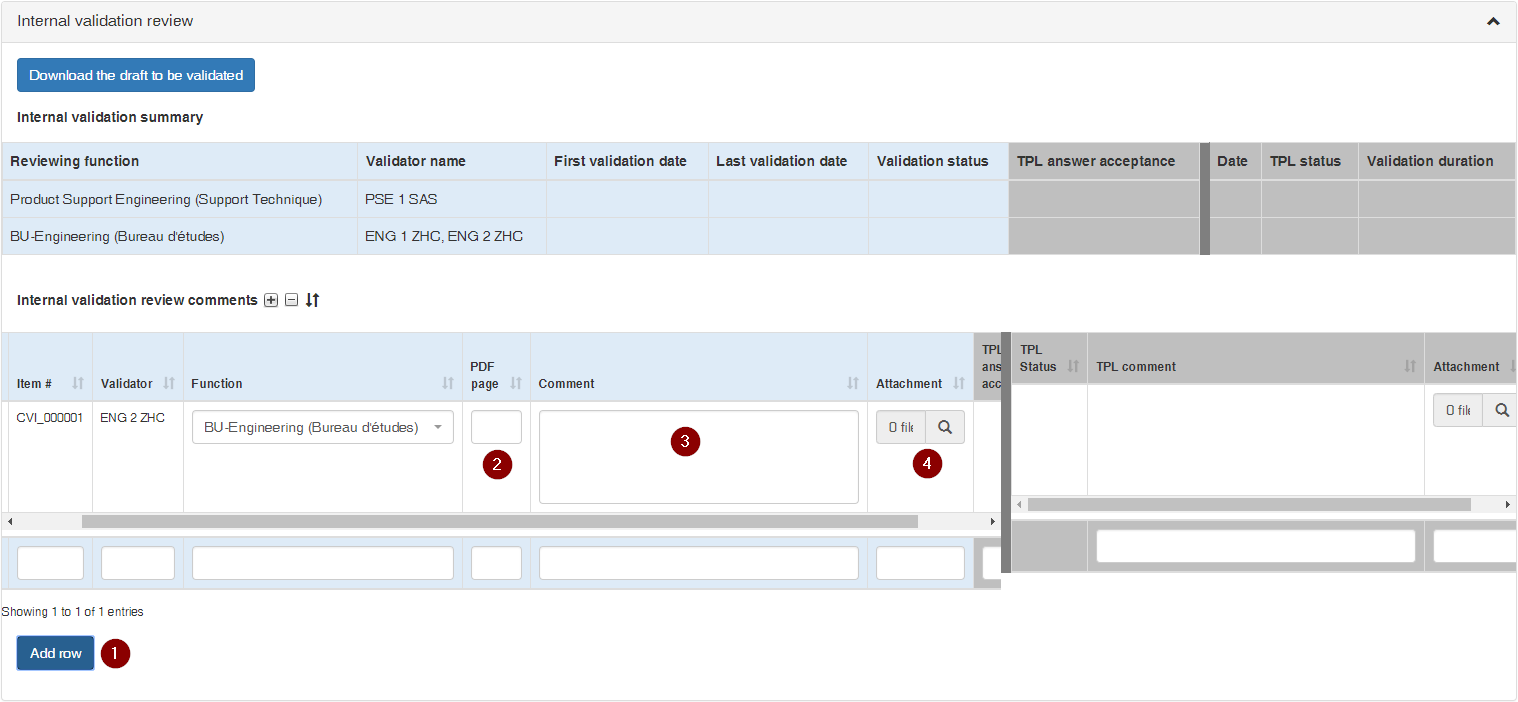
To submit comments the Reviewers must:
add a new row with the button ()
fill out the PDF Page box ()
fill out the Comment box ()
(if needed) upload an Attachment ()
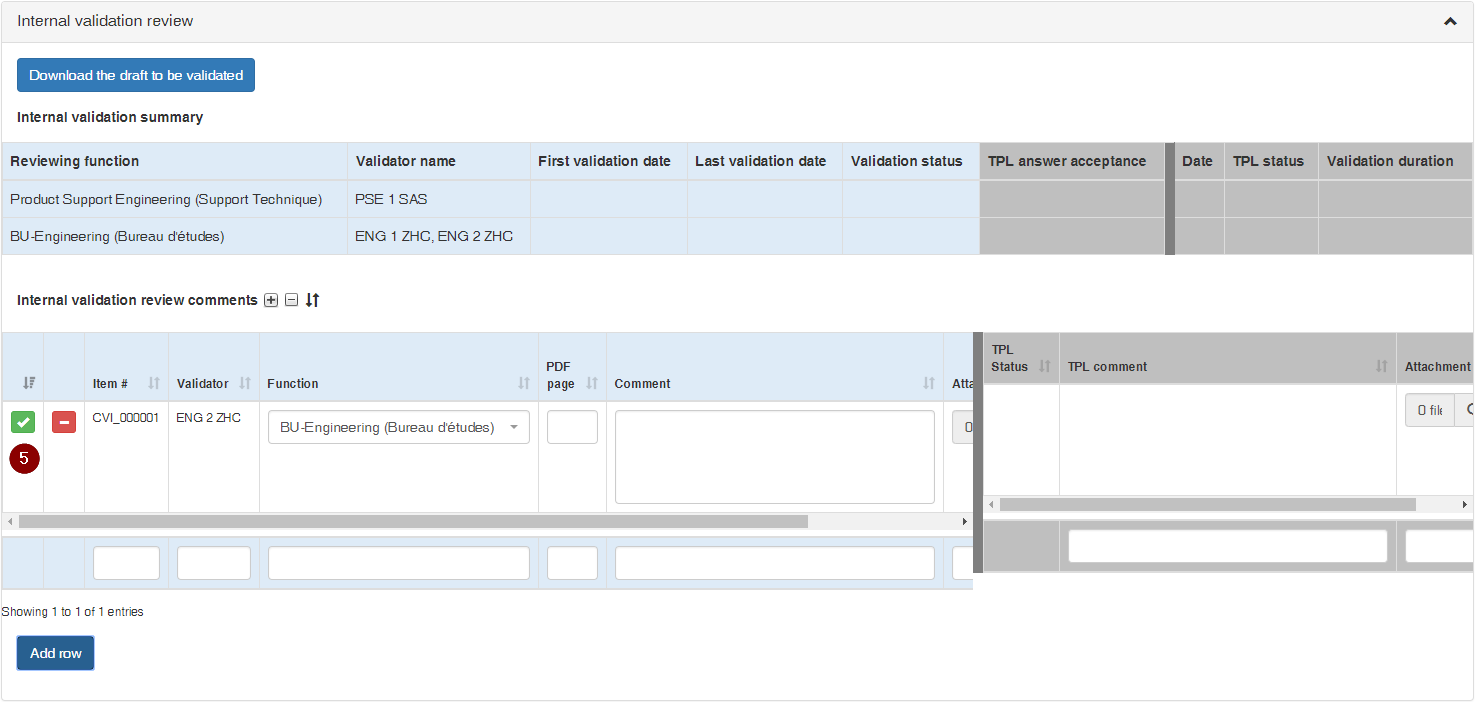
click the submittal button ()
repeat the above steps for each additional comment
Comments must be itemized by the Reviewer whenever possible, so as to allow efficient and traceable itemized clarification and adjudication with the Techpubs Project Leader until full convergence
All submitted comments are visible by all Reviewers for reference
To complete the validation review the Reviewer clicks on one of the workflow buttons at the top right of the screen:
(): the Reviewer accepts the draft with no comments
(): the Reviewer is submitting comments and does not require to review the revised draft
(): the Reviewer is submitting comments and requires to review the revised draft
 )
)
 )
) )
) )
) )
)
 ): the Reviewer accepts the draft with no comments
 ): the Reviewer is submitting comments and does not require to review the revised draft
 ): the Reviewer is submitting comments and requires to review the revised draft