TPLM BUG
Access to TPLM
- How to activate your TPLM account (only for first time access)?
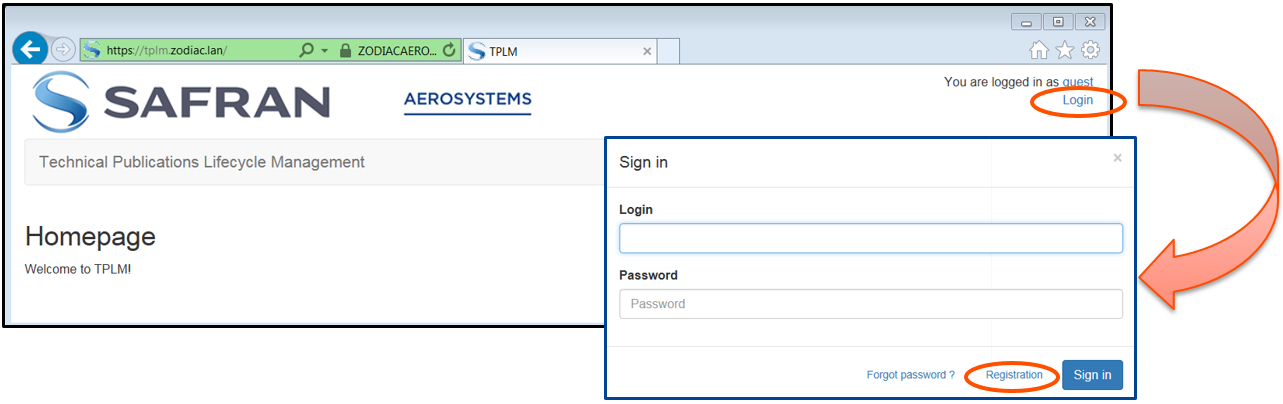
- Open your web browser and go to https://tplm.zodiac.lan
- Click on « Login » and then « Registration »
- Fill out the registration form and click « Register »
- TPLM will send you a welcome email with an activation link valid for 24 hours
- Click on the activation link and follow the instructions to setup your password
- How to access TPLM with your active account?
- Login = firstname.lastname
- Password = as defined at account activation
- How to reset you password if you have forgotten it?
- Click on « Forgot password? » and follow the instructions